The Gree Whio is already an exceptionally efficient hot water system, but pairing it with smart Wi-Fi controls lets you fine-tune running times around off-peak power rates, adjust target water temperatures on the fly, and keep an eye on performance from anywhere.
Step 1: Download & Account Setup
Before heading out to the unit, make sure your mobile device is connected to your home’s 2.4 GHz Wi-Fi network (most smart home hardware requires 2.4 GHz rather than 5 GHz).
- Download the App: Search for GREE+ on the Apple App Store or Google Play Store.
- Create an Account: Open the app, tap Sign Up, choose your region, enter your email address, and set a password.
- Verify: Confirm your email address via the link or code sent to your inbox, then log into the app.
Step 2: Pairing the Gree WHIO to Your Wi-Fi
Now you’re ready to synchronise the heat pump with your smartphone.
- Put the Whio into Wi-Fi Pairing Mode: On the Whio’s wired controller or display panel, press and hold the Wi-Fi / Function button (or press Mode + Turbo depending on your controller variant) for about 10 seconds until you hear a long beep and the Wi-Fi icon begins flashing.
- Add Device in GREE+ App: Open the GREE+ app, tap the "+" icon in the top-right corner of the My Homescreen, and select Add Device.
- Select Your Network: Choose your home Wi-Fi network from the list, enter your Wi-Fi password, and tap Search Device or Next.
- Confirm & Name Your Unit: Once the app detects the Gree Whio, tap to confirm. Give it an easily identifiable name (e.g., "Hot Water Whio" or "Main Water Heater") and tap Save.
Key Features & How to Use Them
Once paired, tapping your Whio from the main dashboard opens the primary control panel. Here is how to navigate the most useful features:
1. Temperature Control
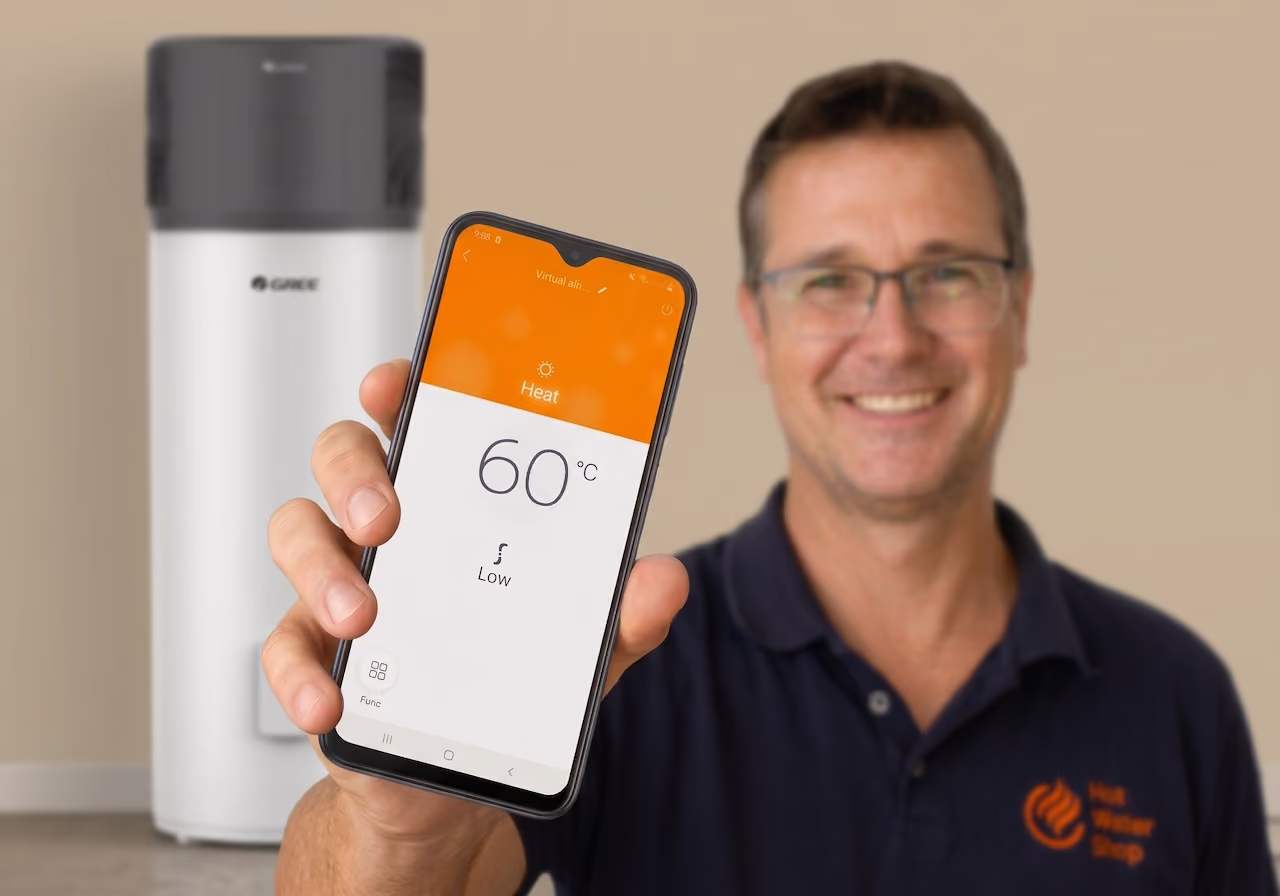
- Target Water Temperature: Adjust the target hot water temperature directly on screen. For standard household safety and efficiency, 60°C is recommended. This keeps water safe from Legionella while keeping power consumption low.
2. Operating Modes
The Whio offers multiple modes to balance hot water demand and energy consumption:
- Standard / Auto: Balances quick recovery with high energy efficiency for daily family use.
- Eco / Energy Saving Mode: Maximises heat pump operation and minimises auxiliary heater usage to deliver the lowest possible power bills.
- Boost / Fast Heating: Engages maximum heat production for periods when you have guests staying or unusually high water demand.
3. Smart Scheduling & Timer Functions
One of the main financial advantages of a heat pump hot water system is heating during low-cost electricity windows:
- Off-Peak Tariff Matching: Use the Timer / Schedule menu in the GREE+ app to schedule heating cycles during cheaper off-peak electricity hours or during peak solar generation hours if you have rooftop PV.
- Holiday Mode: Heading away on holiday? Set Holiday Mode in the app to prevent the system from heating unnecessary water while you're away, then schedule it to warm back up right before you return.
Tim’s Quick Optimisation Tips
- Pair with Solar PV: If you have solar panels installed, set your main heating window between 10:00 AM and 3:00 PM using the app's scheduler to run the heat pump off self-generated solar energy.
- Enable Child / Privacy Lock: If your controller is mounted in a hallway or accessible area, enable the Privacy Lock feature in the GREE+ app settings so settings aren't altered locally.
- Keep Firmware Updated: Check the app settings periodically for firmware updates to ensure your Whio runs the latest operational logic.
If you ever run into connectivity issues during setup, try bringing your phone closer to the Wi-Fi router during initial pairing, or check that your phone isn't automatically hopping between 2.4 GHz and 5 GHz networks.
For any specific installation questions or hardware support, feel free to reach out directly to the team at Hot Water Shop!